Versions
A version is a saved state of a chapter. AI-generated drafts and AI revisions are kept as separate versions, so a generated result does not silently replace the text you already wrote.
Guide
Novel Architect works best when the writer makes the decisions first: define the book, capture the context, write a skeleton, then ask AI for a specific drafting, revision, or review task.
Recommended flow
Open a book from the library or create a new one, fill in the details that describe the project, add reusable context, then draft chapter skeletons. When the skeleton is clear, Novel Architect can turn that plan into prose, revise existing prose, or create a saved editorial report.
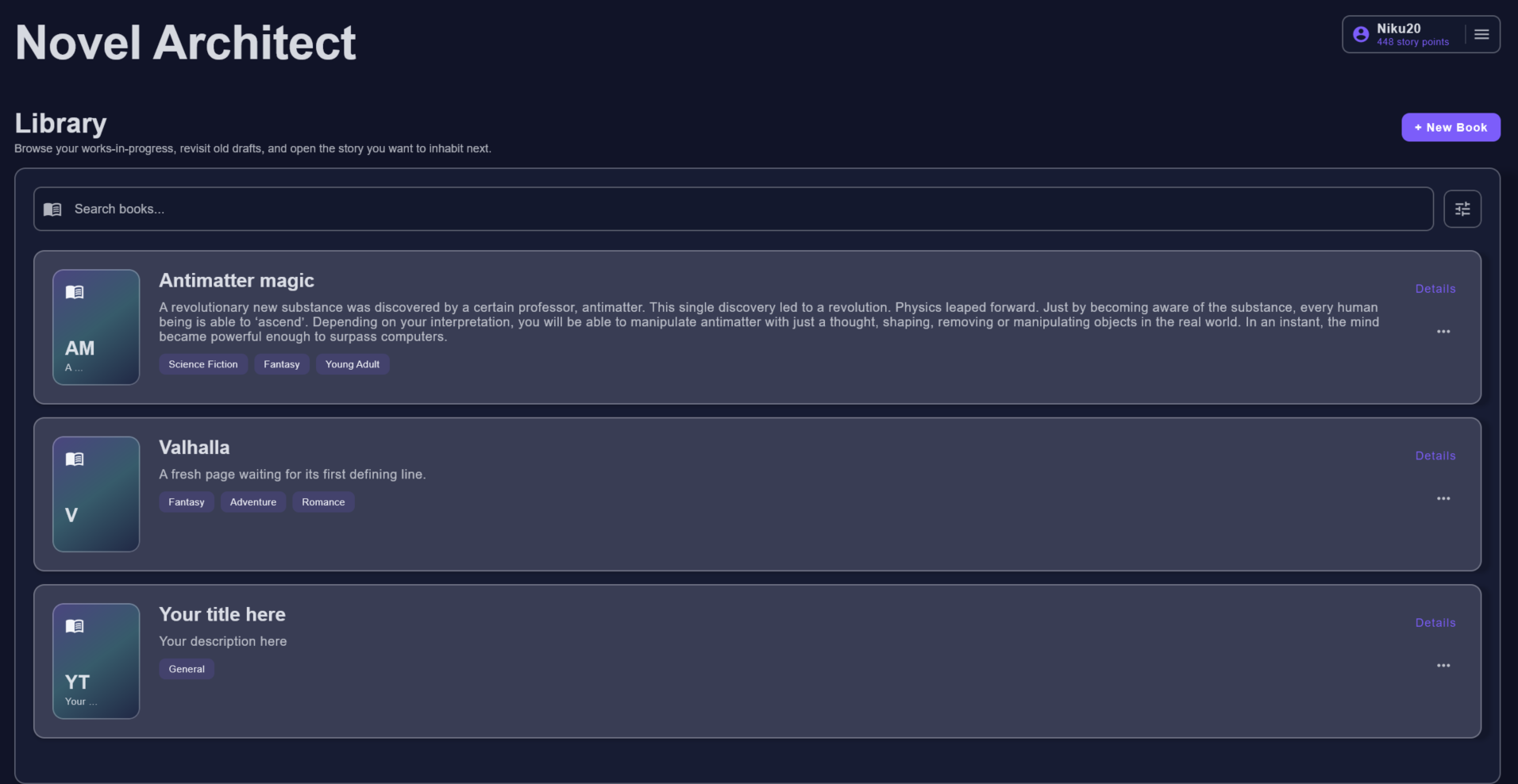
A version is a saved state of a chapter. AI-generated drafts and AI revisions are kept as separate versions, so a generated result does not silently replace the text you already wrote.
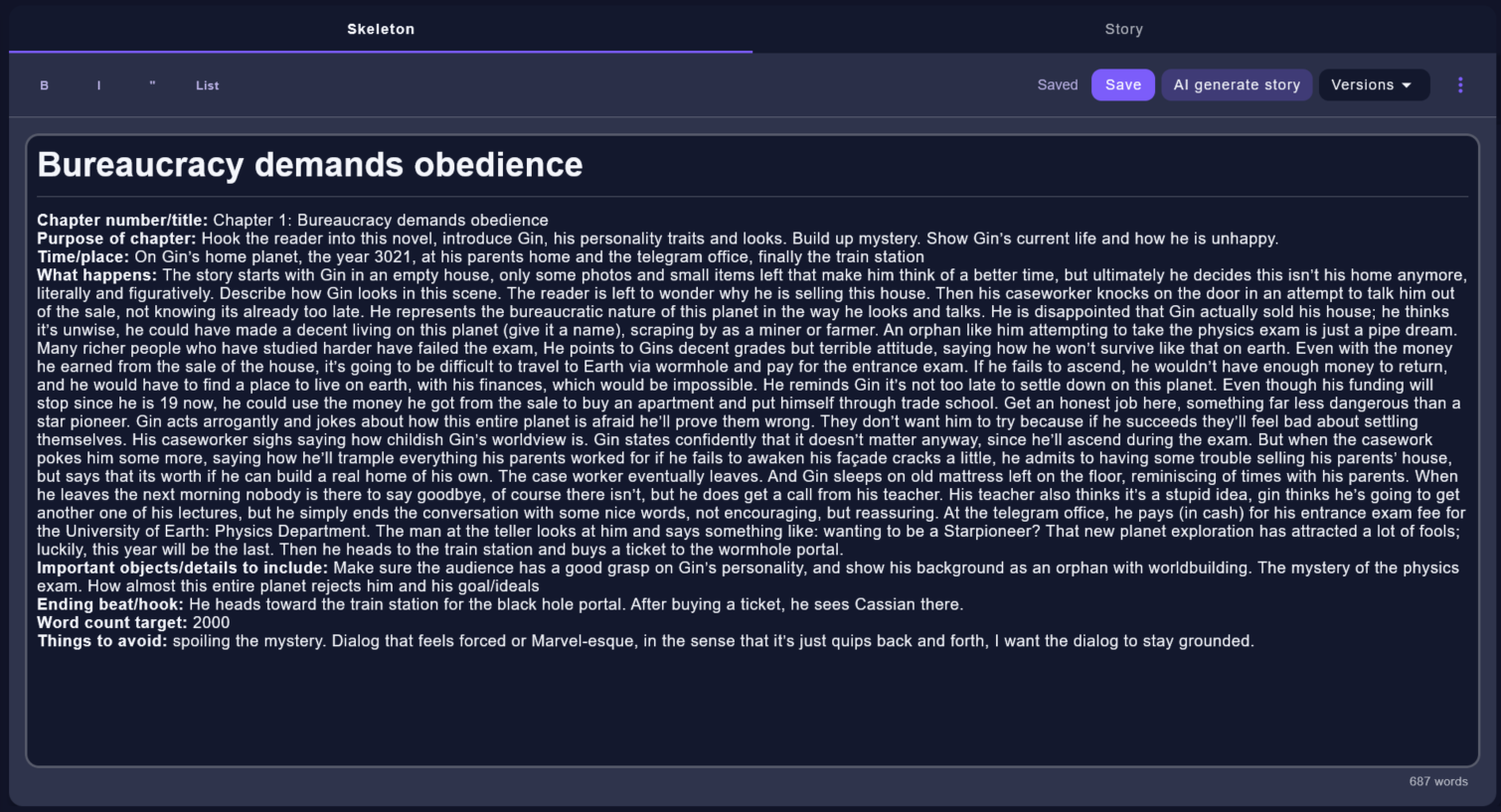
A skeleton is the writer-made plan for a chapter: purpose, beats, important details, ending hook, word count, and anything the generated story should avoid.
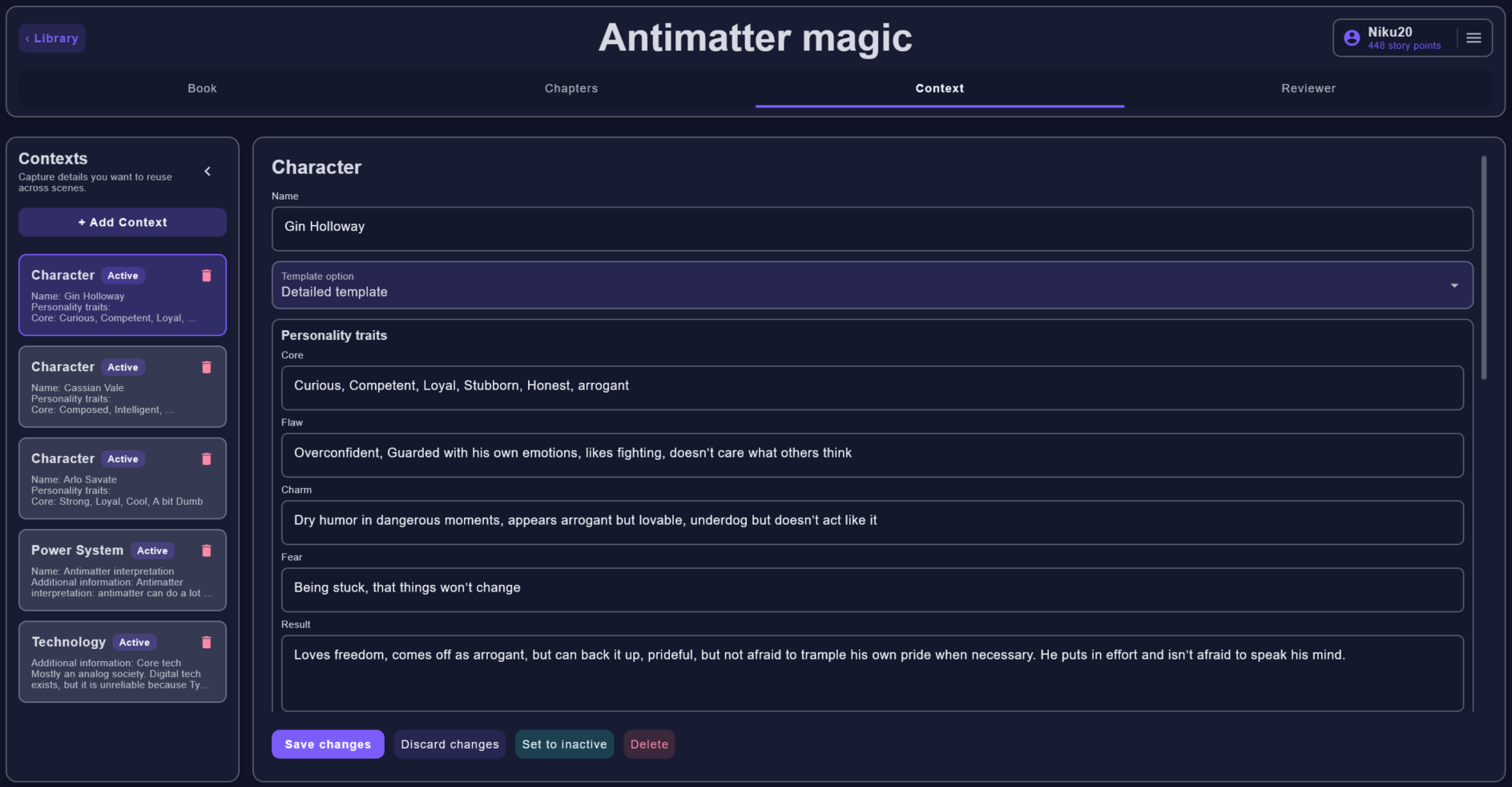
Context entries store reusable facts about characters, locations, factions, power systems, technology, history, themes, and other continuity details.
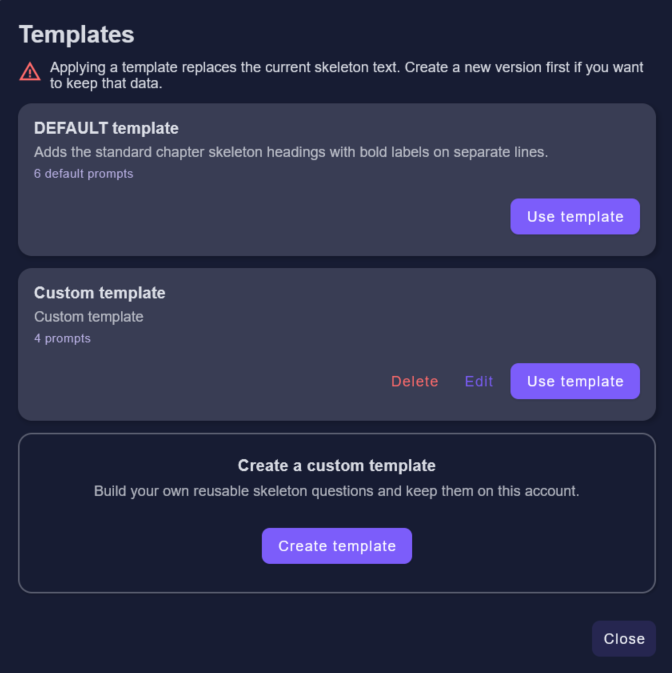
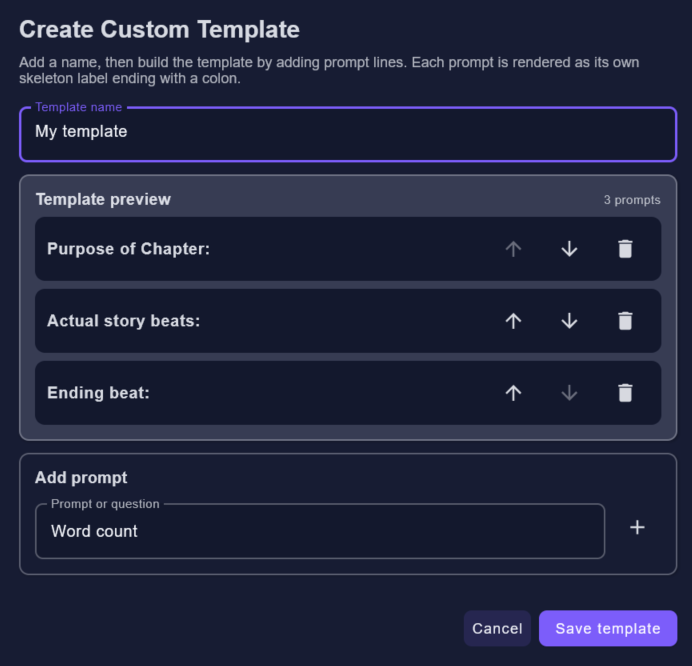
Templates give skeletons and context entries a reusable structure. They help you ask the same planning questions from chapter to chapter and keep character, location, faction, and worldbuilding notes consistent.
Book setup
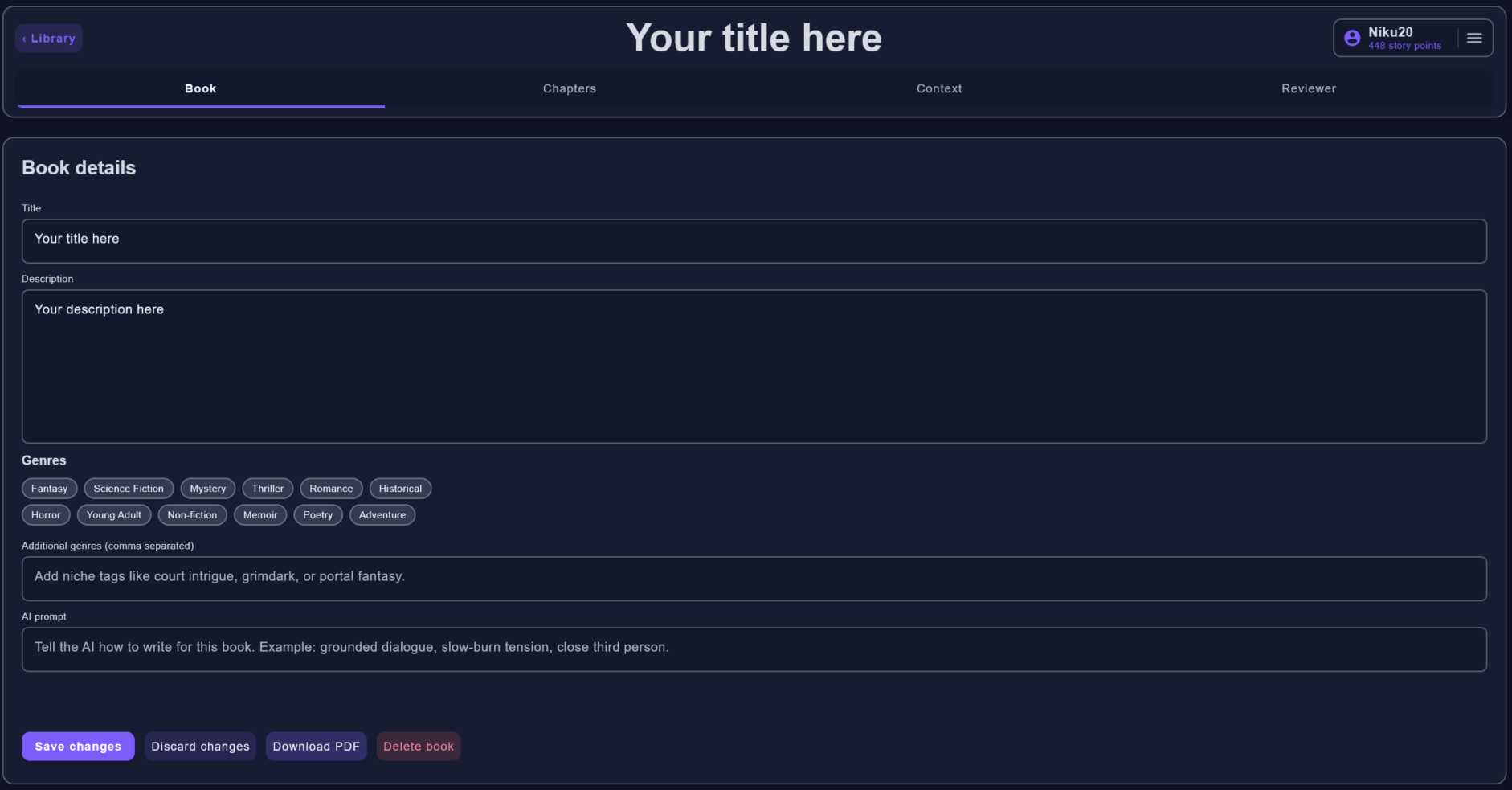
The Book tab holds the title, description, genres, and the book-level AI prompt. That prompt is where you describe the voice or behavior you want AI requests to respect, such as grounded dialogue, slow-burn tension, close third person, or a specific genre boundary.
Starting chapters
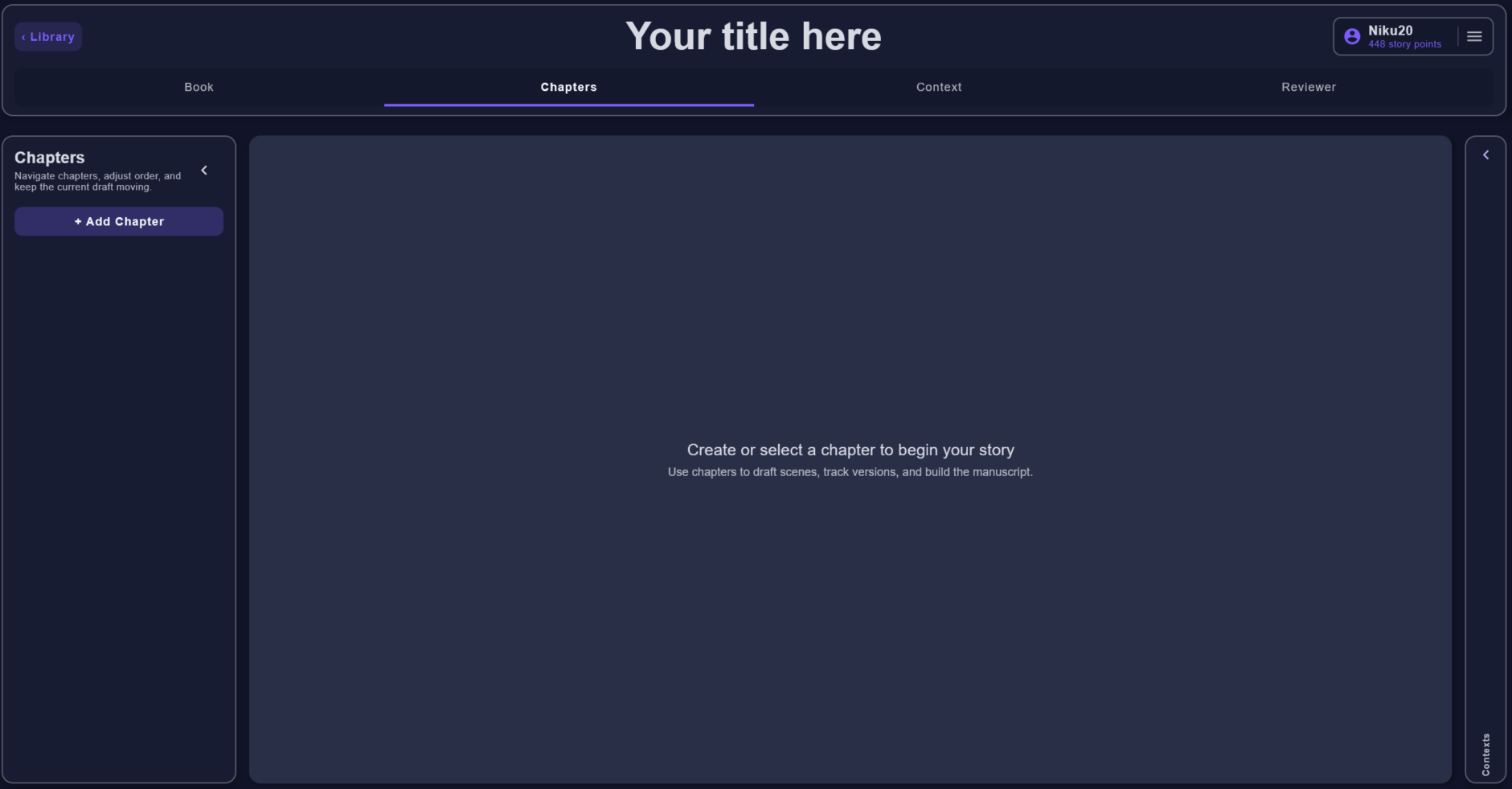
A new book can start with an empty chapter workspace. Add the first chapter, then use the skeleton tab to describe what should happen before switching into prose or asking AI for help.
Chapter workspace
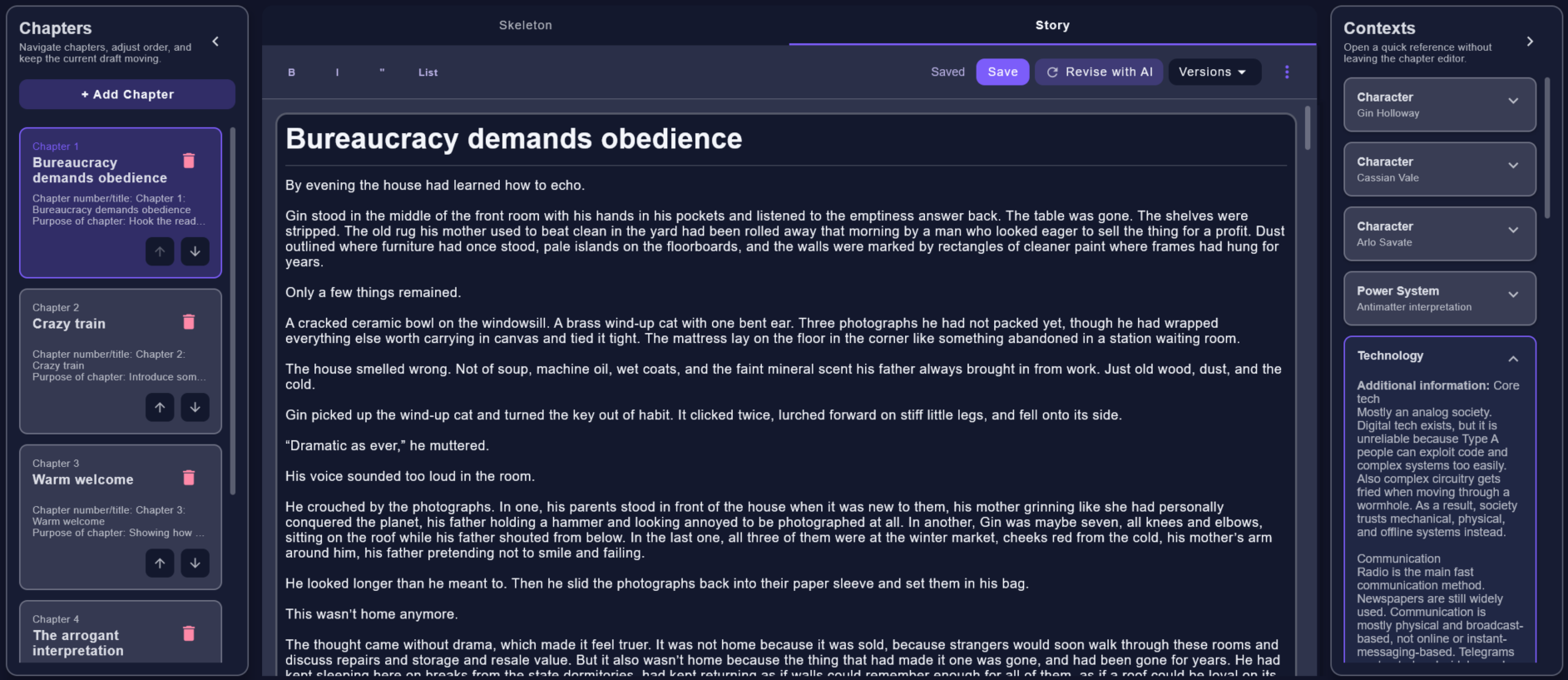
The chapter workspace keeps the chapter list, skeleton editor, story editor, versions, and nearby context visible. Use the skeleton tab to shape the scene first. Use the story tab to write, edit, compare versions, and decide what survives.
Skeleton templates
Novel Architect includes skeleton templates so you are not starting from a blank chapter plan. The default template gives a reliable structure, and custom templates let you save the questions you ask yourself for a particular style of book.
AI tool 01
The story generator is for prose that does not exist yet. You write the skeleton, choose the context and previous chapters that should guide the request, then submit a background AI job. The result is saved locally as a story version.
Be explicit about the chapter's purpose, emotional turn, important beats, ending hook, target word count, and details to avoid. The generator follows this plan more reliably than a vague instruction to continue the book.
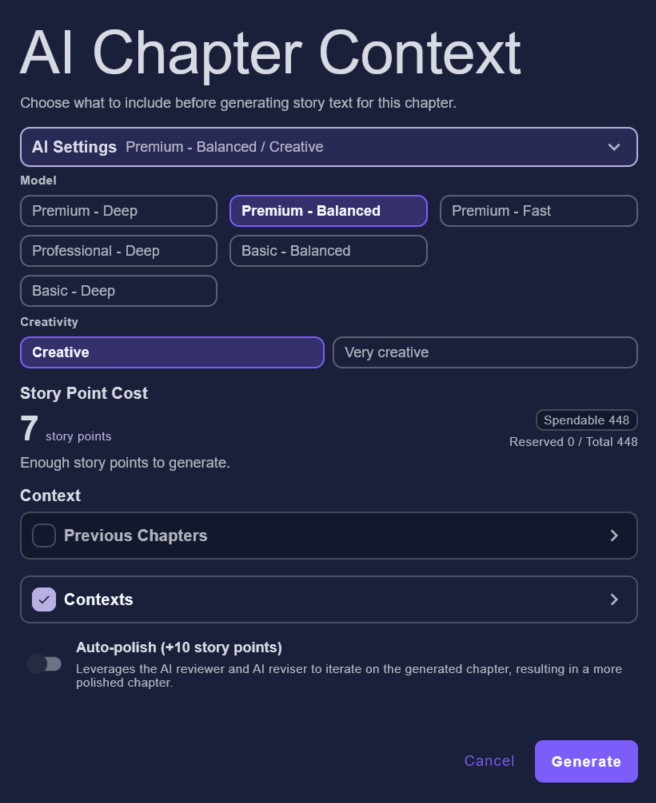
Pick the model, creativity level, previous chapters, context entries, and optional auto-polish pass before spending story points.
The generated chapter appears in the story editor as a draft you can edit, compare, revise again, or discard. The author still decides what belongs in the manuscript.
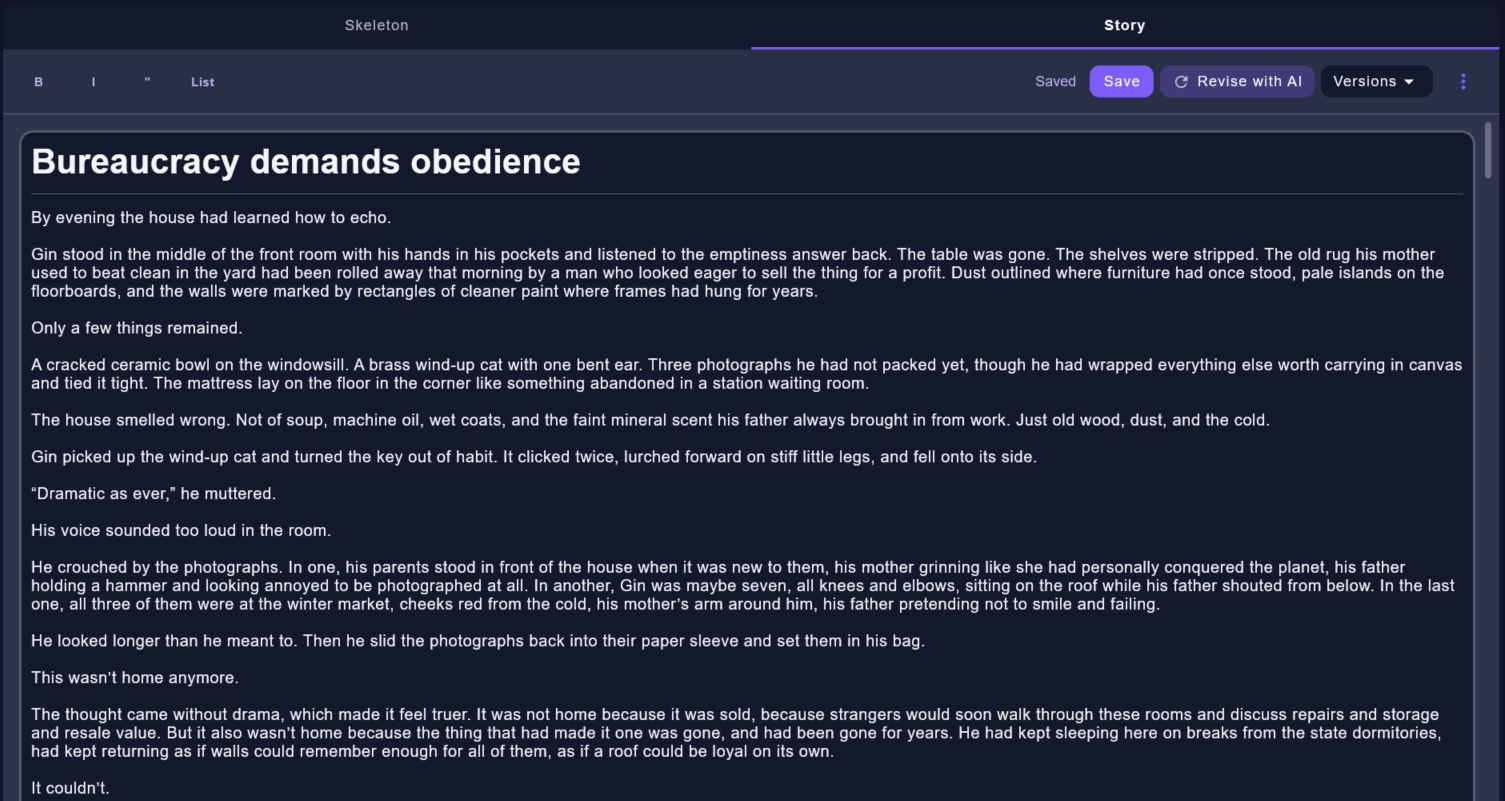
Story generator settings
Model selection changes the story point cost and affects speed and quality. Faster or basic models are cheaper and quicker. Deeper or premium models cost more story points, usually take longer, and are better suited to difficult scenes.
Creative settings influence how boldly the model writes. A very creative model can offer more unique dialogue and less predictable scene choices, but it can also produce unusual, although still correct, sentence structures.
Auto-polish spends extra story points to run a follow-up improvement pass over the generated chapter. Use it when you want the first result to come back cleaner, with rough wording and obvious flow issues reduced before you edit.
Include the context entries and previous chapters that matter for the current scene. Older chapters can be summarized automatically to save cost and keep the request focused instead of overloading the model with stale detail.
AI tool 02
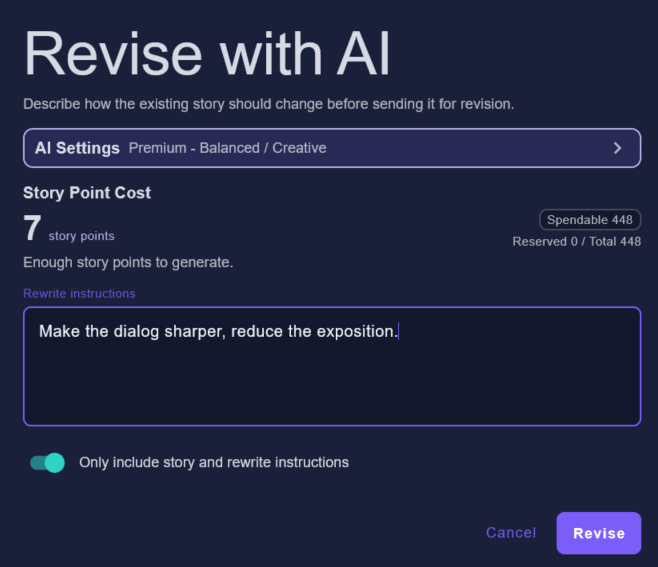
Revision is for changing an existing story version. Give the AI a concrete rewrite instruction, such as making dialogue sharper, reducing exposition, changing tone, or improving pacing. The result is saved as a new version so the current draft remains available.
The "only include story and rewrite instructions" option keeps the request narrow when you do not want the AI to consider extra context or earlier chapters.
AI tool 03
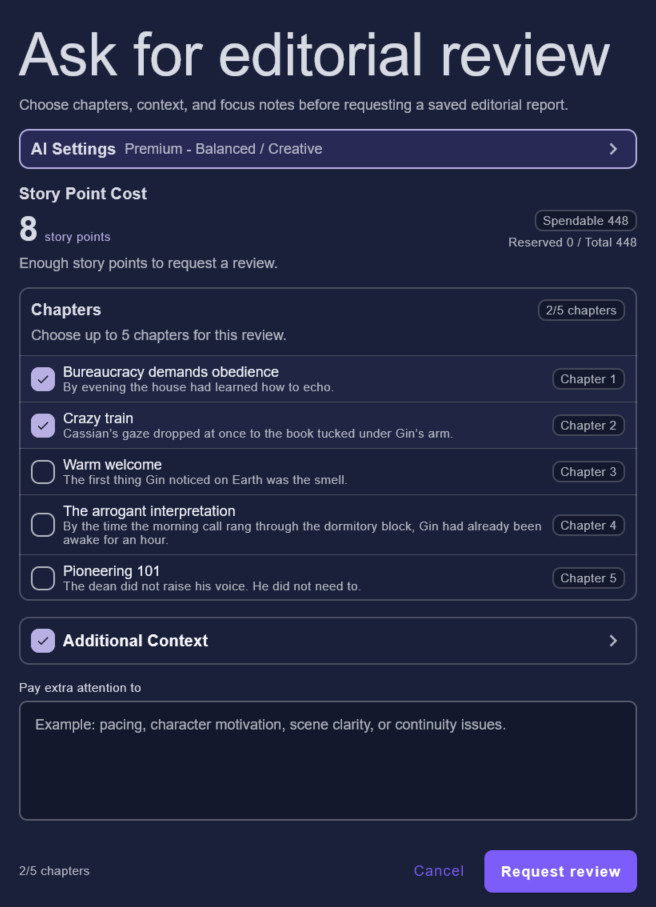
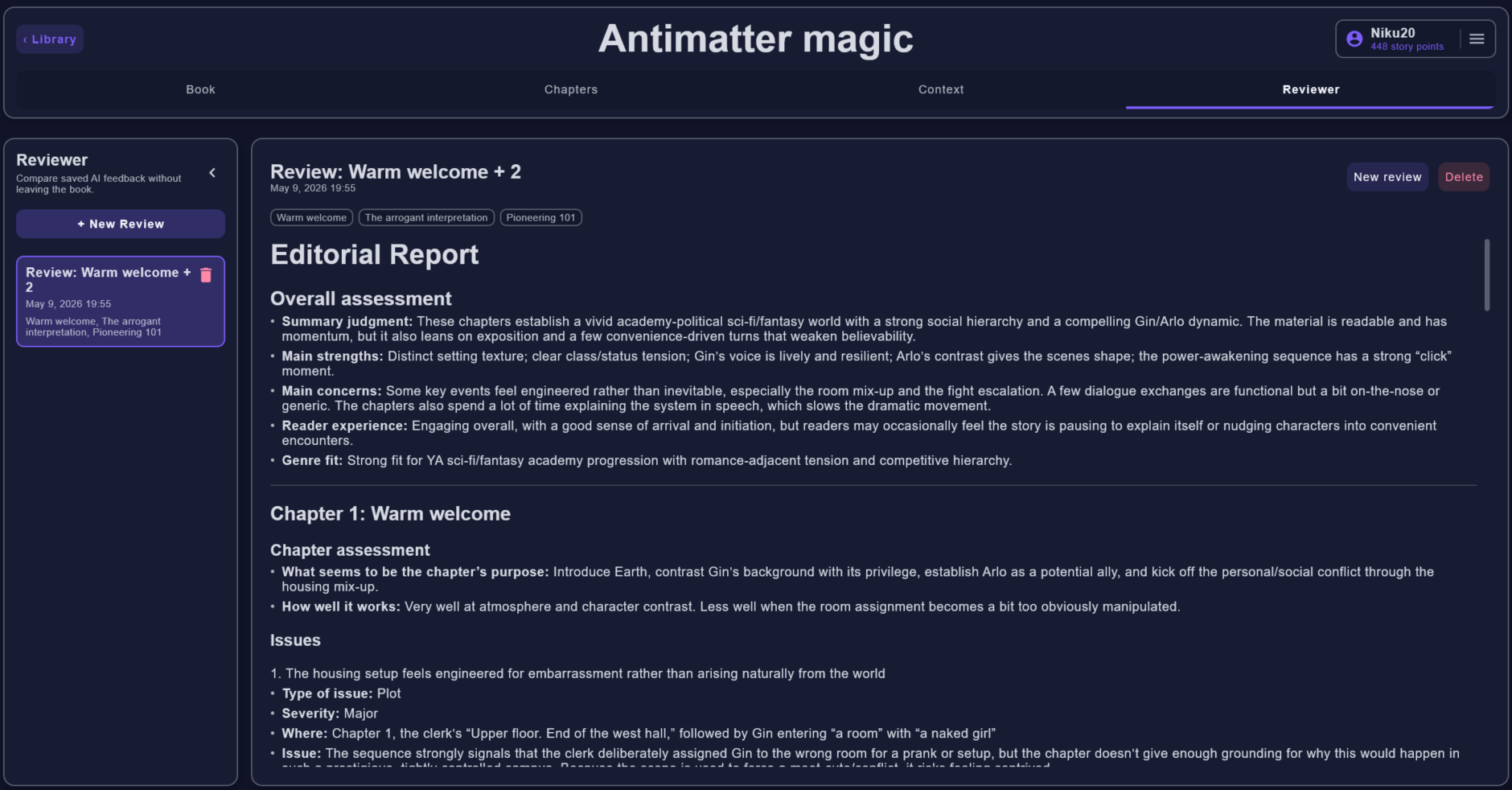
The reviewer produces a saved report. Select up to five chapters, include additional context when it matters, and add focus notes for issues like pacing, motivation, scene clarity, continuity, structure, or tone.
Context library
Context entries are the facts the story should not contradict: character traits, fears, locations, technology limits, history, factions, themes, and rules. Mark the entries that matter and include them in AI requests when they are relevant.
Better context produces better AI results because the request contains the same reference material you would check while writing by hand.
Background jobs
AI jobs run in the background. Novel Architect shows queued and processing states, saves completed output locally first, and only then acknowledges the job. If something interrupts the app, pending jobs can be reconciled when it starts again.